What You Need Before Building a Website
Before creating a website, you need some essential elements. Start with a clear purpose. Are you creating a blog, portfolio, or online store? Once that’s clear, gather these basics:
- A unique domain name
- A reliable hosting provider
- A content management system (CMS)
- Some time to set things up properly
Pick the Right Hosting Provider
Your hosting provider stores your website files online. Without it, your site won’t be accessible. There are three main types:
- Shared Hosting: Cheapest and ideal for beginners
- VPS Hosting: More control and better performance
- Dedicated Hosting: Best for large websites
Popular options include Bluehost, HostGator, and SiteGround. Choose one that offers great uptime, strong support, and free SSL.
Register a Domain Name
You can register a domain via your hosting provider or a domain registrar like Namecheap or GoDaddy. Your domain is your online address. Make sure it’s relevant to your niche.
Keep these tips in mind:
- Avoid numbers or hyphens
- Use a .com extension when possible
- Check for trademark conflicts
Install a Content Management System (CMS)
A CMS helps you manage your site without coding. WordPress is the most popular choice. Others include Wix, Joomla, and Squarespace.
Why WordPress?
- It’s free and open-source
- Offers thousands of themes and plugins
- SEO-friendly and customizable
Most hosting services offer one-click WordPress installation, making it even easier.
Choose a Responsive Website Theme
Now it’s time to design your site. Select a responsive theme that works on all devices. WordPress has free and paid themes. Go for a layout that suits your brand.
Tips for choosing a theme:
- Mobile-optimized
- Lightweight for fast loading
- Compatible with major plugins
- Easy to customize
Avoid cluttered designs. Simplicity always wins.
Customize Your Website Layout
After installing a theme, customize it. Add your logo, change colors, and adjust fonts. WordPress makes this process simple through its built-in customizer.
Focus on these pages:
- Home
- About
- Services or Products
- Blog
- Contact
Each page should have a clear purpose and include a strong call-to-action.
Install Must-Have Plugins
Plugins add functionality to your WordPress website. Some must-have plugins include:
- Yoast SEO: Optimize your content for search engines
- WPForms: Create contact forms easily
- Elementor: Drag-and-drop page builder
- UpdraftPlus: Backup your website
- LiteSpeed Cache: Improve speed and performance
Keep your plugins updated and avoid installing too many.
Write High-Quality SEO Content
Content is king. Use your focus keywords naturally throughout your pages and blog posts. Add headers, bullet points, and internal links.
Tips for great content:
- Solve user problems
- Write in a friendly, clear tone
- Use short paragraphs and active voice
- Add relevant images and alt text
Update your content regularly to stay relevant.
Optimize for SEO and Mobile
Google loves fast, mobile-friendly websites. Here’s how to optimize:
- Compress images using tools like TinyPNG
- Use lazy loading for media
- Choose a responsive design
- Minimize CSS and JavaScript
- Use proper heading tags (H1, H2, H3…)
Mobile-first indexing means your site must perform well on phones.
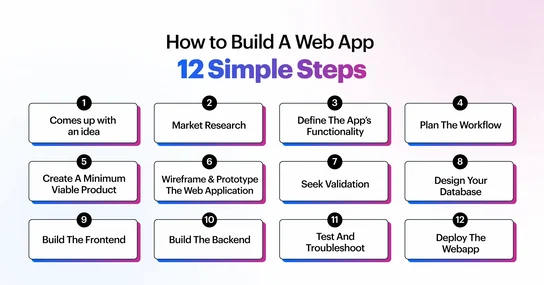
Test and Launch Your Website
Before going live, test every feature. Check links, forms, and loading times. Use tools like Google PageSpeed Insights and GTmetrix.
Once you’re confident, launch your website. Announce it on social media, submit it to Google Search Console, and start tracking traffic with Google Analytics.
FAQs About Building a Website
How much does it cost to build a website?
Costs vary. A basic WordPress site can cost around $50–$100 per year for hosting and domain.
Do I need coding skills?
No. CMS platforms like WordPress let you build sites without coding.
How long does it take to build a website?
With planning, a simple site can go live in a day or two.
Can I build an eCommerce website?
Yes, plugins like WooCommerce let you add a shop to WordPress easily.
Is WordPress the best CMS?
For most users, yes. It’s flexible, scalable, and widely supported.